A native Kindle → Hardcover sync
Read in the Kindle's own reader, the way you always do. Endpaper quietly sends your progress, finished books, ratings and highlights to Hardcover.
For jailbroken Kindles. Free and open source (MIT).
Why Endpaper
The Kindle only talks to Goodreads. If you track your reading on Hardcover, you either update every book by hand, or you replace the Kindle reader with another app such as KOReader, and give up the reader you like.
Endpaper takes a third path. It is a small companion program that only watches the stock reader. It reads the same files the Kindle already keeps about your books, and sends the changes to Hardcover. Nothing about how you read changes.
It was built to stay out of the way: no new reader, no setup over SSH, no settings to tune, and as little battery and storage use as possible.
What it syncs
Reading progress
Your page is sent when you close the book or the Kindle goes to sleep. Forward only: it never moves your progress back.
New books
Start a book and it is added to Currently Reading, matched by ISBN, ASIN, or title and author.
Finished books
Reach the end and the book is marked Read with today's date.
Re-reads
Start a finished book again and Hardcover gets a new read, not an overwrite.
Star ratings
Rate a book on the Kindle's end-of-book screen and the stars go to Hardcover.
Highlights & notes
Sent as private journal entries on the book. Old ones can be imported in one tap.
On your Kindle
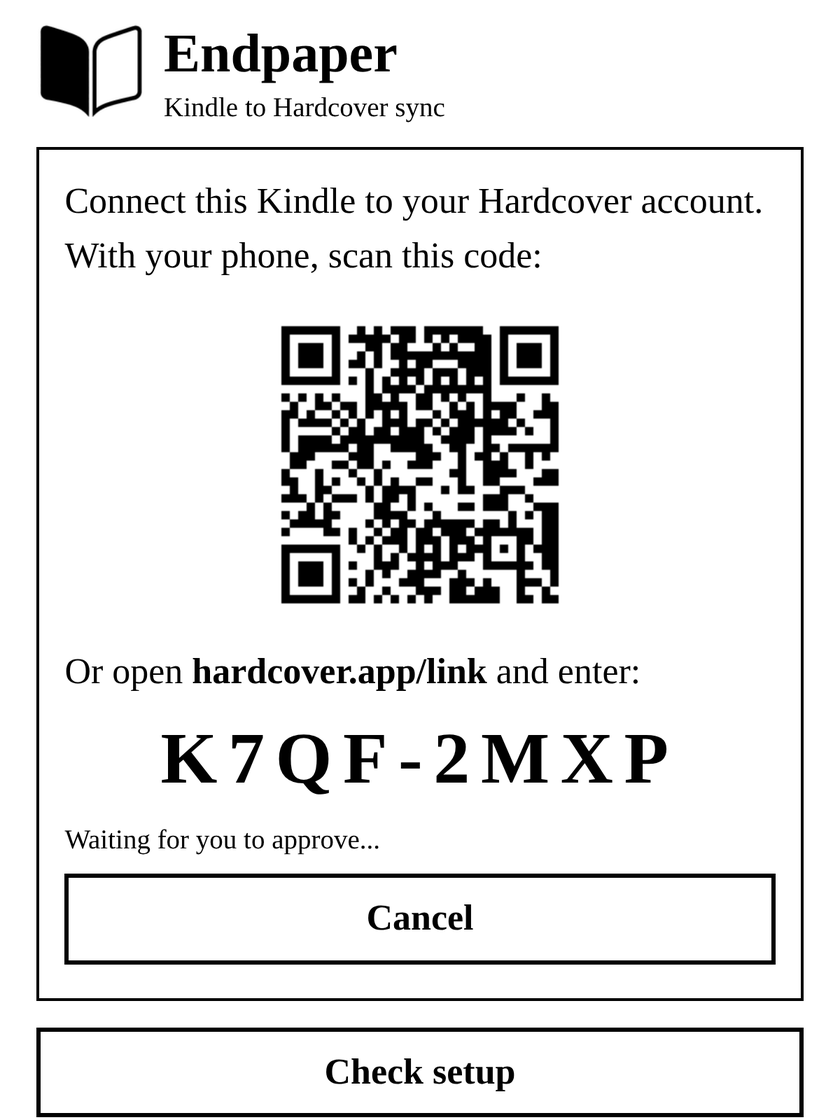
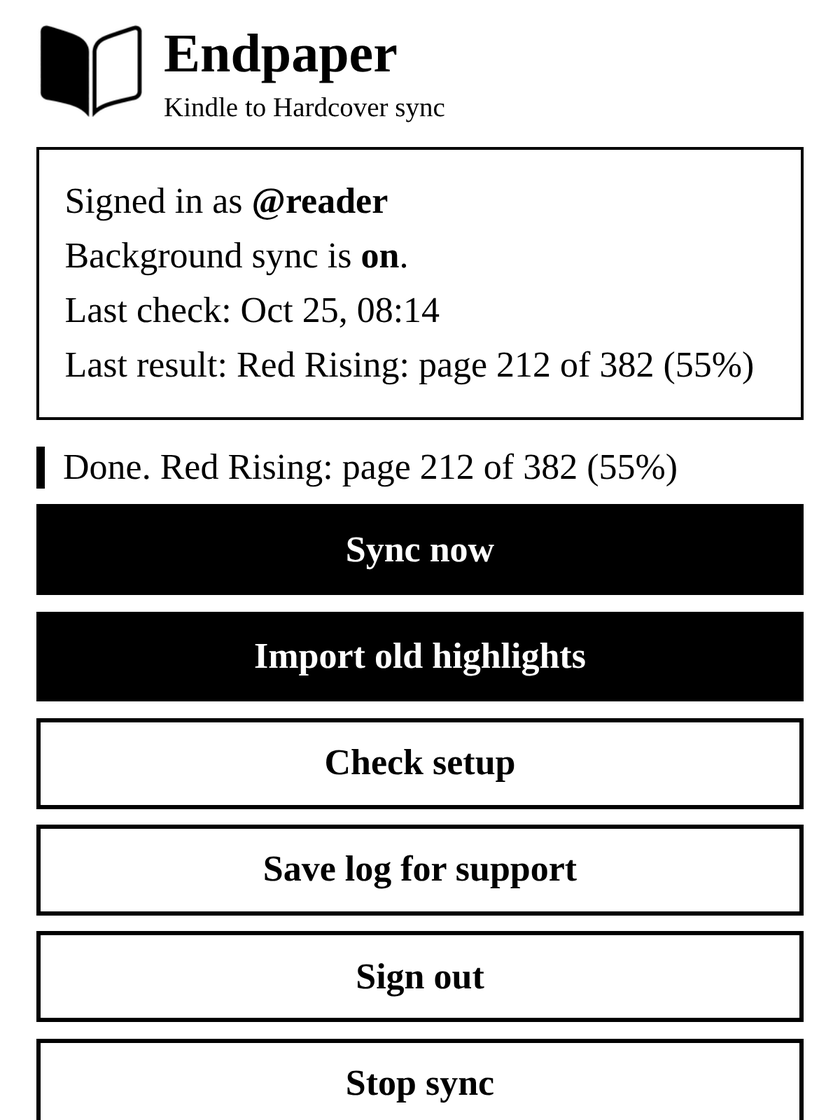
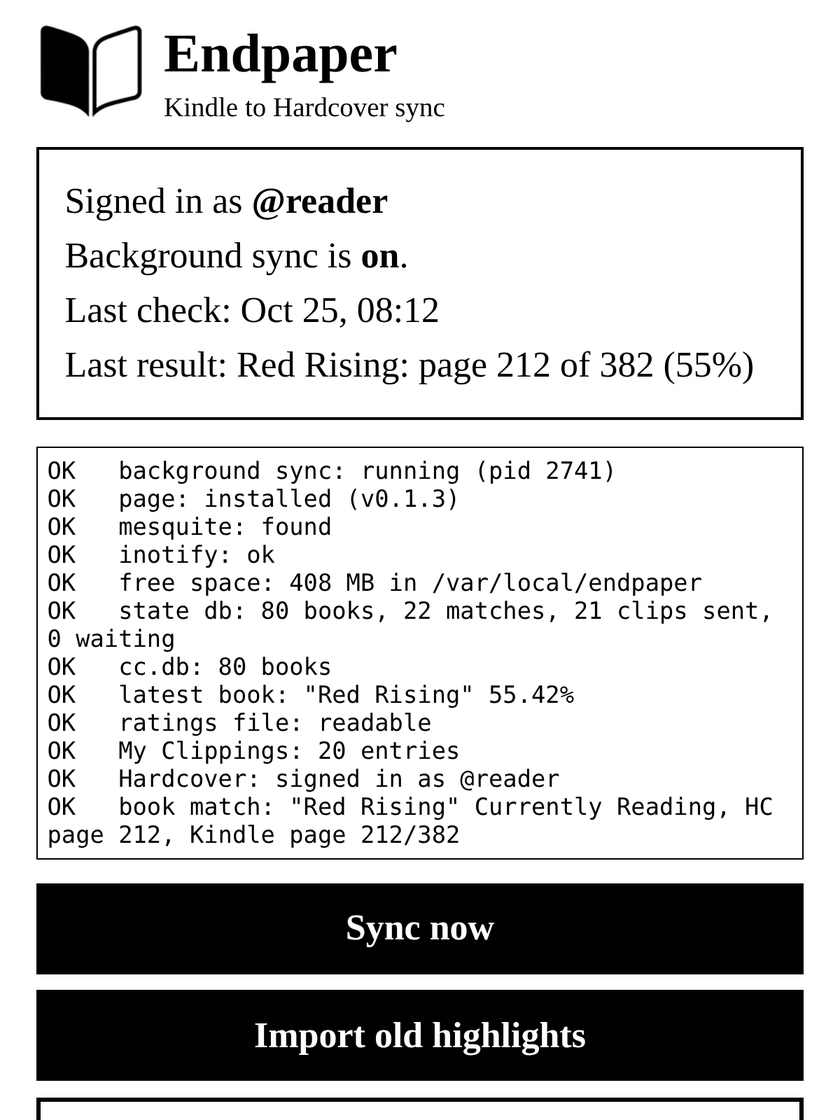
Previews of the Endpaper page, rendered from the app's own page code with sample data.
How it works
Observes, never changes
Reads the Kindle's reading database and files. The Kindle reader and your books stay untouched.
Event driven
Wakes up when you leave a book, the Kindle sleeps or Wi-Fi returns. No constant polling.
Offline friendly
No Wi-Fi? Changes wait and are sent when you are back online.
One tap to manage
An Endpaper item in your library opens a simple page: sign in with a QR code, status, sync now, check setup.
Install
Before you start (recommended): unlink Goodreads on the Kindle (Settings > Your Account). Endpaper works either way, but a linked Goodreads shows "Rating Error" boxes on sideloaded books. Your star ratings still reach Hardcover.
- Download
endpaper-<version>.zipfrom the latest release. - Connect the Kindle with USB and unzip the file onto the Kindle drive.
You get
documents/Endpaper.shand anendpaperfolder. - Eject, then tap Endpaper in your library.
- Tap Sign in, scan the QR code with your phone and approve. Done.
After a restart of the Kindle, tap Endpaper once to start sync again. Full instructions, updating and uninstalling: see the README.
Good to know
- Requirements: a jailbroken Kindle that runs scriptlets (
.shfiles in the library), a Hardcover account, and Wi-Fi to sync. - Tested on one Kindle with firmware 5.17.1 so far. Reports from other models are welcome on GitHub.
- Privacy: your sign-in stays on the Kindle. Endpaper talks only to Hardcover, and to GitHub at most once an hour to check for updates while its page is open.
- Independent: Endpaper is not made by or affiliated with Hardcover or Amazon.